 ZeroThreat Wins Top InfoSec Innovators 2026 Award for Penetration Testing Read more

All Blogs

Quick Overview: This guide explains the different types of vulnerability scanning and where each approach fits. It covers network, host, web application, API, cloud, container, and database scanning, along with authenticated vs. unauthenticated and agent-based vs. agentless approaches. It also explains how to choose the right scanning method and follow effective vulnerability scanning practices.
A vulnerability can stay hidden simply because the wrong part of the environment was scanned.
Mandiant’s 2026 M-Trends report found that exploits remained the most common initial infection vector in 2025, appearing in 32% of investigations. Google Threat Intelligence also tracked 90 zero-day vulnerabilities exploited in the wild during 2025, showing how quickly attackers can turn weaknesses into entry points.
The challenge is knowing where to look.
A network, host, web application, API, cloud workload, container, or database can expose different security weaknesses. Each requires a scanning approach suited to its technology, access requirements, and attack surface.
This makes performing vulnerability scanning more than a routine security check. The right combination of scanning methods helps security teams discover known weaknesses, improve visibility, prioritize remediation, and reduce exploitable exposure before attackers find it.
Stop waiting for the next security assessment. Start finding exploitable vulnerabilities across your applications today. Start Free Scan
Table of Contents
- What is Vulnerability Scanning?
- What are the Types of Vulnerability Scanning?
- Authenticated vs. Unauthenticated Vulnerability Scanning
- Agent-Based vs. Agentless Vulnerability Scanning
- How to Choose the Right Type of Vulnerability Scanning
- Best Practices for Vulnerability Scanning
- In Conclusion
What is Vulnerability Scanning?
Vulnerability scanning is an automated security assessment that identifies known weaknesses across systems, applications, networks, endpoints, and other IT assets. It helps security teams discover vulnerabilities before attackers can exploit them.
A vulnerability scanner examines assets for issues such as outdated software, insecure configurations, exposed services, missing patches, and known CVEs. Depending on the scan type, it can assess both external attack surfaces and internal environments.
The process typically involves asset discovery, vulnerability detection, risk assessment, and reporting. Scanners compare collected information against vulnerability databases and security checks to identify potential security gaps and prioritize remediation.
Vulnerability scanning is an important part of continuous security monitoring and vulnerability management. However, a scan does not replace penetration testing. Scanners primarily identify known weaknesses, while penetration tests can validate whether vulnerabilities are actually exploitable and expose deeper attack paths.
What are the Types of Vulnerability Scanning?
Vulnerability scanning comes in different types based on what is being assessed, how much access the scanner has, and where security weaknesses exist across an organization’s technology environment.
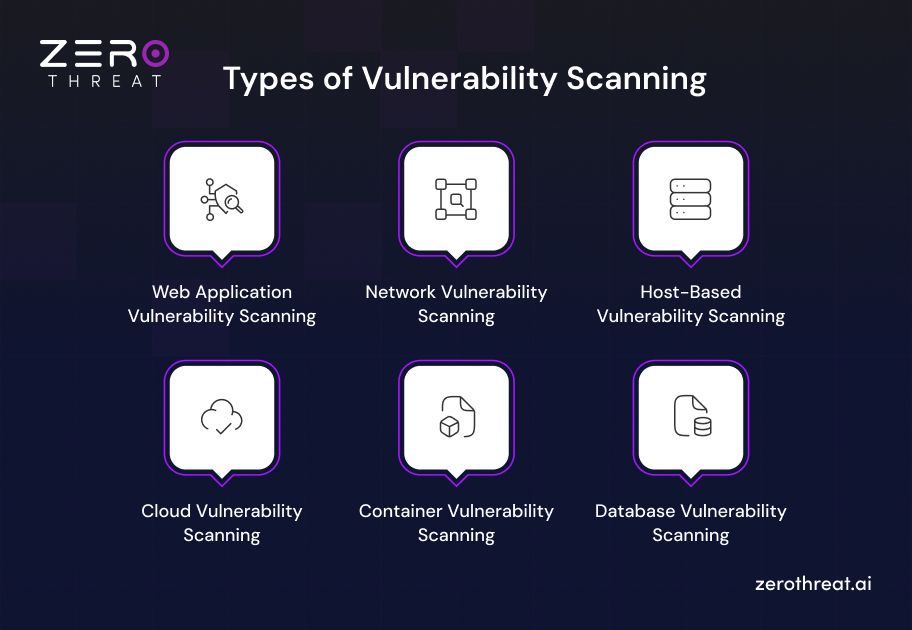
1. Web Application Vulnerability Scanning
Web application vulnerability scanning evaluates websites and web applications for security weaknesses that could expose data, functionality, or users to attack. Dynamic scanners interact with the running application to identify vulnerabilities in its behavior and responses.
Common checks include:
- SQL injection and cross-site scripting (XSS)
- Authentication and session weaknesses
- Security misconfigurations
- Insecure headers and exposed components
- Common OWASP application vulnerabilities
Web application scanners can crawl application pages, send test requests, analyze responses, and map discovered vulnerabilities to known security risks. Authenticated scanning can extend coverage to protected areas that unauthenticated scans cannot reach.
2. Network Vulnerability Scanning
Network vulnerability scanning identifies security weaknesses across network infrastructure, including servers, routers, switches, firewalls, and exposed services. It helps security teams understand which network assets are vulnerable to known attacks.
A network scanner typically performs asset discovery and checks exposed ports, services, software versions, configurations, and known CVEs.
Key areas include:
- Open and unnecessary ports
- Outdated network services
- Weak security configurations
- Known vulnerabilities in network devices
- Exposed services and attack surfaces
Network vulnerability scans can be performed against internal or external infrastructure. Regular scanning helps teams identify newly exposed assets and vulnerabilities before they become an entry point for attackers.
3. Host-Based Vulnerability Scanning
Host-based vulnerability scanning examines individual systems such as servers, workstations, virtual machines, and endpoints for security weaknesses. It provides deeper visibility into the software, configuration, and patch state of a specific host.
Depending on the scanning approach, the assessment can identify:
- Missing security patches
- Outdated or vulnerable software
- Insecure system configurations
- Weak access controls
- Unnecessary services and applications
Host-based scanning is useful for validating endpoint security and reducing vulnerabilities that may remain hidden from external network scans. Authenticated scans can provide additional system-level visibility because the scanner can inspect local configurations and installed components.
4. Cloud Vulnerability Scanning
Cloud vulnerability scanning evaluates cloud infrastructure, workloads, services, and configurations for security weaknesses. It can identify risks across environments built on platforms such as AWS, Microsoft Azure, and Google Cloud.
Cloud scanning commonly checks for:
- Misconfigured storage and databases
- Excessive permissions and IAM privileges
- Publicly exposed cloud resources
- Insecure network configurations
- Unpatched cloud workloads
- Weak security controls
The scanner analyzes cloud assets and configurations to identify conditions that could increase the attack surface. Continuous cloud vulnerability scanning helps security teams detect configuration drift and newly introduced risks as cloud environments change.
5. Container Vulnerability Scanning
Container vulnerability scanning examines container images and running container environments for vulnerabilities in operating system packages, application dependencies, and configuration. It helps identify security issues before vulnerable containers reach production.
Typical checks include:
- Vulnerable OS packages
- Outdated application dependencies
- Known CVEs in container images
- Insecure container configurations
- Excessive privileges
- Vulnerable third-party components
Container scanners commonly compare image components against vulnerability databases and generate findings based on severity. Integrating scanning into CI/CD pipelines allows development and security teams to detect vulnerable dependencies during the software delivery lifecycle instead of waiting until deployment.
6. Database Vulnerability Scanning
Database vulnerability scanning assesses database systems for weaknesses that could expose sensitive information or allow unauthorized access. It can evaluate database configurations, software versions, access controls, and known database vulnerabilities.
A database vulnerability assessment may identify:
- Outdated database software
- Weak authentication settings
- Excessive user privileges
- Insecure configurations
- Unnecessary exposed database services
- Known database CVEs
Regular scanning helps organizations reduce database attack surfaces and identify security gaps affecting systems that store sensitive business or customer information. Depending on the environment, assessments can cover relational and NoSQL databases across on-premises and cloud infrastructure.
Run automated AI security checks across web apps, APIs, and authenticated SPAs with zero configuration. Scan My Application
Authenticated vs Unauthenticated Vulnerability Scanning
Authenticated vulnerability scanning uses valid credentials to inspect systems from an authorized user perspective, while unauthenticated scanning evaluates what an external or unauthorized user can discover. The key difference is visibility: authenticated scans provide deeper insight into internal weaknesses, while unauthenticated scans show externally exposed risks.
| Aspect | Authenticated Scanning | Unauthenticated Scanning |
|---|---|---|
| Access Level | Uses valid credentials to scan behind login screens | No credentials; scans only publicly visible surfaces |
| Coverage | Full application surface, including admin and user areas | Limited to what's exposed externally |
| Accuracy | Higher, since it accesses privileged and protected resources | Lower, as protected areas remain untested |
| Vulnerabilities Detected | Broken access control, session flaws, business logic issues | Open ports, outdated software, exposed misconfigurations |
| Risk Level | Higher, since it requires storing and using privileged credentials | Lower, as no privileged access is involved |
| Best Suited For | Internal assessments, compliance audits, applications with login flows | External attack surface reviews, public-facing asset checks |
When to Use Authenticated Scanning
Use authenticated scanning when you need deeper visibility into systems and applications that require user access. It is useful for:
- Checking Missing Patches: Identify vulnerable software, libraries, and operating system components installed on a host.
- Reviewing System Configurations: Detect insecure settings that may not be visible from an external scan.
- Assessing Access Controls: Verify whether users have excessive privileges or inappropriate permissions.
- Scanning Internal Assets: Assess servers, workstations, virtual machines, and other assets within an internal environment.
- Testing Authenticated Applications: Reach protected pages, functions, and resources that require login credentials.
- Improving Vulnerability Coverage: Identify weaknesses that an external scan may not have enough access to detect.
When to Use Unauthenticated Scanning
Use unauthenticated scanning when you want to understand what an attacker or unauthorized user can discover without valid credentials. It is useful for:
- Assessing External Attack Surfaces: Identify vulnerabilities in internet-facing systems, applications, and services.
- Checking Exposed Services: Detect open ports, publicly accessible services, and exposed network components.
- Testing Public Applications: Scan websites and application functionality that does not require authentication.
- Validating Perimeter Security: Determine whether external systems reveal unnecessary information or insecure configurations.
- Finding Publicly Exploitable Vulnerabilities: Identify known vulnerabilities that can potentially be discovered or exploited without authenticated access.
- Monitoring Newly Exposed Assets: Detect security risks introduced when systems, services, or application endpoints become publicly accessible.
Check this detailed comparison of Authenticated vs Unauthenticated Scanning.
Agent-Based vs Agentless Vulnerability Scanning
Agent-based vulnerability scanning uses a software agent installed directly on the target system to collect detailed security data. Agentless scanning does not require software installation and gathers information remotely through available network protocols, APIs, or management interfaces.
Benefits of Agent-Based Vulnerability Scanning
Agent-based scanning provides deeper visibility into individual systems and is useful for environments where detailed host-level information is required.
- Deeper system visibility: Collects detailed information about installed software, packages, processes, and configurations.
- Continuous assessment: Agents can monitor systems regularly without requiring repeated remote connections.
- Better internal visibility: Can identify vulnerabilities that may not be visible through network-based scanning.
- Works across changing environments: Continues collecting data even when systems frequently change networks or locations.
- Detailed asset information: Provides granular information that helps security teams investigate and prioritize vulnerabilities.
Benefits of Agentless Vulnerability Scanning
Agentless scanning assesses systems remotely without installing or maintaining software on individual assets.
- No agent deployment: Eliminates the need to install and manage scanning software on every system.
- Faster deployment: Security teams can begin scanning without modifying individual endpoints.
- Lower maintenance: Removes the operational overhead associated with updating and troubleshooting agents.
- Broad network coverage: Can assess multiple systems and network assets from a centralized scanner.
- Useful for unmanaged assets: Helps assess systems where installing an agent is impractical or not permitted.
| Aspect | Agent-Based Scanning | Agentless Scanning |
|---|---|---|
| Deployment | Requires installing software on each target device | No installation needed; scans run remotely over the network |
| Visibility | Continuous, real-time monitoring | Periodic, scheduled snapshots |
| Coverage | Detects vulnerabilities on offline or remote devices | Limited to devices reachable on the network during the scan |
| Maintenance | Requires ongoing agent updates across all devices | No endpoint maintenance required |
| Resource Impact | Consumes some local device resources | Consumes network bandwidth during active scans |
| Best Suited For | Distributed teams, remote endpoints, continuous monitoring needs | Large environments, quick deployment, low-maintenance setups |
Ready to move beyond periodic scans? Explore ZeroThreat plans for continuous application security testing. Check Out Pricing
How to Choose the Right Type of Vulnerability Scanning
There is no single vulnerability scanning method that provides complete coverage across every environment. The right approach depends on what you need to scan, how the environment is built, what level of access is available, and the security risks you need to identify.
Consider these factors before selecting a scanning approach:
1. Identify What You Need to Scan
Start by mapping the assets that require security assessment. Different technologies expose different types of vulnerabilities.
Consider whether you need to scan:
- Network infrastructure and exposed services
- Servers, workstations, and endpoints
- Web applications
- APIs and API endpoints
- Cloud infrastructure and configurations
- Container images and workloads
- Databases and data stores
For example, a web application may require DAST, while containerized workloads may require container image scanning. A broad network assessment may require network vulnerability scanning.
2. Consider Your Security Objective
Define what you want the scan to discover before choosing the scanning type.
Your objective may be to:
- Identify known CVEs and vulnerable software
- Find insecure configurations
- Detect exposed services and assets
- Assess application vulnerabilities
- Identify cloud misconfigurations
- Review access controls and privileges
- Monitor changes across the attack surface
A clear objective prevents teams from selecting a scanner simply because it supports a particular technology.
3. Determine the Required Level of Access
Decide whether the assessment needs authenticated or unauthenticated access.
- Authenticated scanning provides deeper visibility into internal configurations, installed software, permissions, and protected application functionality.
- Unauthenticated scanning shows what can be discovered without credentials and is useful for assessing externally exposed attack surfaces.
For broader coverage, organizations may use both approaches because each provides a different security perspective.
4. Evaluate Your Environment
The architecture of your environment should influence the scanning strategy.
Traditional on-premises infrastructure may require network and host-based scanning, while modern environments may need a combination of cloud, container, application, API, and infrastructure assessments.
Consider:
- On-premises infrastructure
- Hybrid environments
- Public and private clouds
- Kubernetes and container platforms
- SaaS applications
- Microservices
- Remote endpoints
- Internet-facing assets
The more distributed the environment becomes, the more important it is to combine scanning methods.
5. Choose Between Agent-Based and Agentless Scanning
Your operational requirements can determine whether agents are appropriate.
Agent-based scanning can provide detailed host-level information and continuous visibility. Agentless scanning can simplify deployment and assess multiple accessible assets without installing software on individual systems.
Consider the number of assets, network architecture, endpoint management requirements, and level of visibility needed before making this decision.
6. Check Application and API Complexity
Basic vulnerability scanning may not provide sufficient coverage for modern applications.
For web applications and APIs, consider whether the scanner can handle:
- Authentication and session management
- REST, GraphQL, SOAP, or gRPC APIs
- JavaScript-heavy applications
- Multi-step workflows
- Role-based access controls
- API authorization
- Business logic
- Modern authentication mechanisms
This is particularly important when applications contain functionality that cannot be assessed effectively through simple crawling or signature-based checks.
7. Consider Scan Frequency
Your scanning approach should also match how frequently your environment changes.
Static environments may support scheduled vulnerability assessments, while organizations with frequent code deployments, infrastructure changes, or continuously changing cloud assets may need more frequent or continuous scanning.
Integrating vulnerability scanning into the software development lifecycle (SDLC) and CI/CD pipelines can help identify vulnerabilities earlier.
8. Evaluate Detection and Reporting Capabilities
A scanner should provide more than a long list of vulnerabilities. Evaluate how it identifies, validates, prioritizes, and communicates findings.
Look for capabilities such as:
- CVE and CWE mapping
- Severity and risk context
- Evidence or proof of findings
- Asset and vulnerability correlation
- False-positive reduction
- Remediation guidance
- Historical vulnerability tracking
- Compliance-ready reporting
Clear evidence and actionable remediation information can help security teams focus on vulnerabilities that require attention instead of spending excessive time reviewing raw scan results.
9. Consider Coverage vs Depth
Different scanning approaches provide different levels of coverage and depth. A network scan may cover a large number of assets but provide less application-level context. An authenticated application assessment may provide deeper visibility into specific functionality but cover a narrower scope.
A Practical Selection Framework
| Environment or Requirement | Relevant Scanning Type |
|---|---|
| Internet-facing infrastructure | External network scanning |
| Internal servers and endpoints | Host-based or internal network scanning |
| Websites and web applications | Web application vulnerability scanning |
| REST, GraphQL, SOAP, or gRPC APIs | API vulnerability scanning |
| Cloud infrastructure | Cloud vulnerability scanning |
| Containerized applications | Container vulnerability scanning |
| Database infrastructure | Database vulnerability scanning |
| Deep host-level assessment | Authenticated scanning |
| External attack surface assessment | Unauthenticated scanning |
| Detailed endpoint visibility | Agent-based scanning |
| Rapid deployment without endpoint agents | Agentless scanning |
The most effective approach is often not choosing one scanning type, but combining multiple methods according to your environment and risk profile. Regularly reassess the strategy as applications, infrastructure, cloud resources, and attack surfaces change.
Best Practices for Vulnerability Scanning
Implementing effective vulnerability scanning requires a structured strategy to maximize security coverage. Following proven industry best practices helps organizations maintain continuous protection, eliminate security blind spots, and streamline remediation workflows.
- Establish a Continuous Scanning Schedule: Move away from annual audits by running continuous or weekly scans. Regular scanning catches emerging security gaps immediately after new software updates are deployed.
- Combine Authenticated and Unauthenticated Scans: Run credentialed internal scans to audit deep system settings, while using unauthenticated external scans to evaluate your exposed internet perimeter.
- Define a Clear Asset Management Inventory: Maintain an updated asset inventory before launching scans. You cannot protect unmonitored shadow IT, legacy servers, or rogue cloud instances.
- Prioritize Vulnerabilities Based on Exploitability: Focus remediation efforts on flaws with active real-world exploits and critical risk scores rather than attempting to patch every low-level alert at once.
- Integrate Scanning into CI/CD Pipelines: Embed automated container and code scanning into software development workflows. Catching security flaws during build stages prevents vulnerable applications from entering production environments.
- Validate Scan Results to Cut False Positives: Verify identified risks using automated exploit validation or contextual testing. Removing false positives saves security teams valuable time during remediation phases.
- Assign Clear Ownership and Fix Timelines: Establish clear SLAs for patching identified vulnerabilities. Assign specific remediation tasks directly to system owners to ensure accountability and fast risk reduction.
Get a closer look at AI-powered vulnerability scanning and see how it fits your security workflow.
Book a Demo
In Conclusion
Vulnerability scanning provides visibility into security weaknesses across different parts of your environment. The right scanning approach depends on the assets being assessed, the level of access available, and the risks those assets introduce.
Network, host, web application, API, cloud, container, and database scanning each address different security needs. Authenticated and unauthenticated scanning also provide different perspectives, while agent-based and agentless approaches offer different ways to collect vulnerability data.
For modern web applications and APIs, security teams need testing that can go beyond surface-level checks. ZeroThreat helps automate vulnerability scanning across web applications and APIs, making it easier to continuously identify and validate security weaknesses.
The goal is not simply to run more scans. It is to build the right combination of scanning methods, maintain consistent visibility, prioritize meaningful findings, and verify remediation as your attack surface continues to change.
Frequently Asked Questions
How frequently should you conduct vulnerability scans?
Vulnerability scans should run regularly based on your environment, asset exposure, and rate of change. Internet-facing systems and frequently deployed applications may need continuous or frequent scanning. Run additional scans after major infrastructure, software, or configuration changes.
How does a vulnerability scan work?
What is the main objective of vulnerability scans?
What vulnerabilities can scanners miss?
Can scanners find zero-days?


Explore ZeroThreat
Automate security testing, save time, and avoid the pitfalls of manual work with ZeroThreat.