 ZeroThreat Wins Top InfoSec Innovators 2026 Award for Penetration Testing Read more


All Blogs

Quick overview: Unauthorized access occurs when someone accesses systems, applications, or data without permission. Learn about its common causes, security risks, and real-world examples. Explore practical ways to detect suspicious activity, strengthen authentication and access controls, prevent application vulnerabilities, and respond effectively when unauthorized access occurs to protect sensitive information and reduce security risks.
Unauthorized access can start with something as simple as a stolen password or a forgotten permission. Once attackers get in, they may access customer data, misuse accounts, or exploit application vulnerabilities to reach sensitive systems.
The risk is significant. Microsoft's Digital Defense Report 2025 found that 97% of identity attacks were password spray attacks, highlighting how attackers continue to exploit weak or reused passwords. Once inside, they may steal information, misuse accounts, or move deeper into a network.
So, how can unauthorized access be detected, and what steps can prevent it? This guide explains the common causes, real-world examples, business risks, and practical prevention measures. It also explores how an AI Pentesting tool can help identify weaknesses in authentication, authorization, and application workflows before attackers exploit them.
Your login works. But does every user stay inside their lane? Test access controls now. Run My First Test
On This Page
- What is Unauthorized Access?
- What are the Common Causes of Unauthorized Access?
- What are the Risks of Unauthorized Access?
- What are Some Real-World Examples of Unauthorized Access?
- How to Detect Unauthorized Access in Applications?
- Best Practices to Prevent Unauthorized Access
- What Should You Do After Unauthorized Access Occurs?
- How Can ZeroThreat Help You Prevent Unauthorized Access?
- To Wrap Up
What is Unauthorized Access?
Unauthorized access occurs when someone gains access to a system, application, network, or data without proper permission. It can involve stolen credentials, exploited vulnerabilities, or attempts to bypass security controls.
In cybersecurity, unauthorized access can affect user accounts, business applications, databases, cloud environments, and internal networks. An attacker may exploit weak passwords, misconfigured permissions, or broken authentication to access resources they should not reach.
Not every incident involves an external attacker. An employee may access confidential files beyond their role, or a former employee may use an account that was never disabled. Both situations can expose sensitive information and violate access policies.
Organizations use access control, multi-factor authentication (MFA), role-based access control (RBAC), and continuous monitoring to reduce these risks. These security measures help verify user identities, restrict permissions, and identify suspicious activity before it leads to data exposure or system compromise.
What are the Common Causes of Unauthorized Access?
Unauthorized access occurs for many reasons, involving both technology issues and human actions. Let’s go through some of the reasons why unauthorized access and hacking happen.
Weak Passwords
Weak, reused, or default passwords make user accounts easier to compromise. Attackers may use stolen credentials, password guessing, or automated login attempts to access business systems. Reusing the same password across multiple services increases the risk because one compromised account can expose others.
Phishing Attacks
Phishing tricks users into revealing login credentials or approving fraudulent authentication requests. Phishing attacks allow hackers to impersonate trusted colleagues, service providers, or IT administrators through emails and fake login pages. If the stolen credentials lack strong protection, attackers can use them to access legitimate accounts and sensitive information.
Misconfigured Access Controls
Incorrect access control settings can expose files, applications, databases, and internal services to unauthorized users. For example, a cloud storage bucket may allow public access, or an API may fail to verify whether a user can access a specific resource. These configuration errors can expose sensitive data.
Unpatched Software
Outdated applications, operating systems, and network services may contain known security vulnerabilities. Attackers can exploit these weaknesses to bypass authentication, execute malicious code, or gain access to restricted resources. Delayed security updates leave vulnerable systems exposed, particularly when applications or services are accessible over the internet.
Excessive User Privileges
Users and service accounts sometimes receive more permissions than their responsibilities require. This violates the principle of least privilege and increases the potential impact of compromised accounts. An attacker who gains access to an overprivileged account may reach sensitive databases, administrative interfaces, or other restricted systems.
Exposed Cloud Services
Misconfigured cloud resources, open ports, and publicly accessible administrative interfaces can create entry points for attackers. For example, an exposed database with weak authentication may allow unauthorized users to retrieve sensitive records. Poor network segmentation can also help attackers move from one compromised system to another.
Stolen Sessions and Tokens
Attackers do not always need a user's password to gain access. They may steal session cookies, API keys, or authentication tokens through malware, phishing, or application vulnerabilities. If these credentials remain valid, attackers can impersonate legitimate users and access protected resources without completing the normal login process.
Unauthorized access rarely stops at one flaw. Uncover the attack paths that chain together. Uncover Attack Paths
What are the Risks of Unauthorized Access?
Unauthorized access can expose sensitive information, compromise business systems, and give attackers opportunities to cause further damage. The impact depends on the permissions obtained, the data exposed, and how quickly the incident is detected and contained.
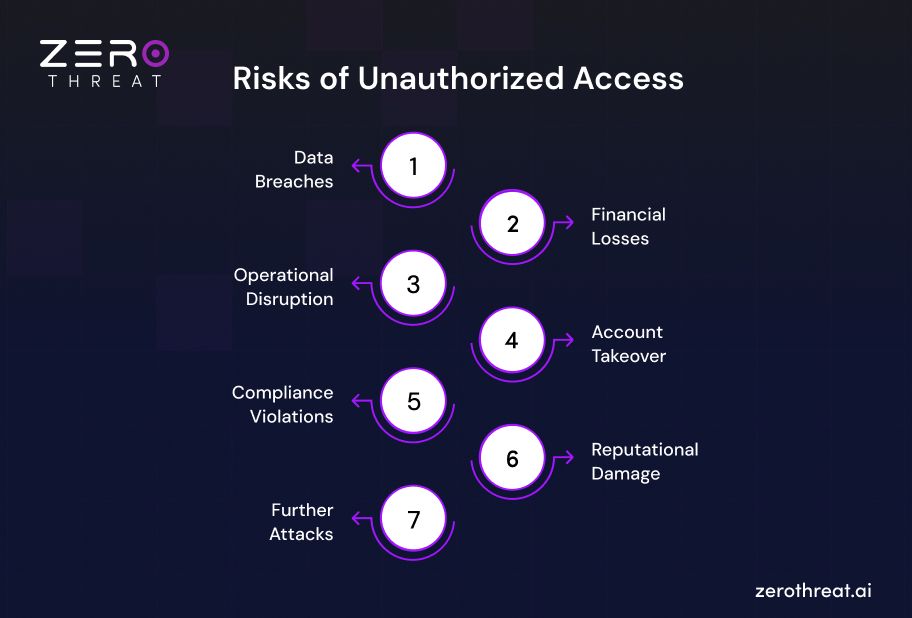
Data Breaches
Unauthorized access can expose customer records, financial information, employee details, and intellectual property. Attackers may steal this data for identity theft, fraud, or resale. Even when information is not stolen, unauthorized viewing or disclosure can violate privacy requirements and weaken an organization's data security.
Financial Losses
Organizations may face direct financial losses from fraudulent transactions, stolen funds, incident investigation, and system recovery. Unauthorized access can also increase legal expenses and remediation costs. For individuals, compromised accounts may lead to payment fraud, identity theft, and the time-consuming process of recovering access.
Operational Disruption
Attackers with access to critical systems may delete files, alter configurations, disrupt applications, or deploy ransomware. These actions can interrupt business operations and make essential services unavailable. Recovery may require isolating affected systems, restoring backups, and investigating the incident before normal operations can safely resume.
Account Takeover
When attackers compromise legitimate user accounts, they can impersonate employees or customers and misuse their existing permissions. They may change account settings, access private information, or create additional access paths. A compromised administrator account poses a greater risk because it may provide control over multiple systems and users.
Compliance Violations
Unauthorized access involving personal or regulated data can trigger legal obligations, breach notifications, regulatory investigations, or penalties, depending on the applicable laws and circumstances. Organizations may also struggle to demonstrate compliance with access control and data protection requirements. Effective access management and audit logs help support accountability.
Reputational Damage
Customers and business partners expect organizations to protect their information. An unauthorized access incident can undermine that trust, particularly when sensitive data is exposed or the response is poorly handled. Customers may leave, partners may reconsider relationships, and future sales can become harder to secure.
Further Attacks
Unauthorized access can become the starting point for broader attacks. Once inside a network, attackers may steal additional credentials, escalate privileges, move laterally between systems, or target connected applications. Weak network segmentation and excessive permissions can make it easier for an initial account compromise to spread.
What are Some Real-World Examples of Unauthorized Access?
Real-world security incidents demonstrate how easily unauthorized entry happens when access controls or cloud boundaries fail. Examining major historical and recent events reveals the precise vectors attackers use to bypass perimeter defenses. The examples below illustrate how these incidents unfold and what organizations can learn from them.
1 ASOS Cybersecurity Incident (2026)
In October 2026, British fashion retailer ASOS reported that attackers accessed certain third-party platforms using credentials obtained by impersonating a trusted contact. Some customers' personal information, including names and contact details, was compromised. The incident highlights how social engineering can turn employee credentials into an entry point for unauthorized access.
2. PowerSchool Data Breach (2024)
In December 2024, an attacker used compromised contractor credentials to access PowerSchool's support platform and customer student information systems. The incident exposed personal information belonging to students, educators, and parents across multiple jurisdictions. It demonstrates how compromised third-party accounts can create widespread data exposure.
3. Snowflake Customer Attacks (2024)
In 2024, attackers targeted Snowflake customer environments using previously stolen credentials, some obtained through infostealer malware. Mandiant found that the affected customer accounts did not have multi-factor authentication enabled at the time of compromise. The campaign shows how stolen credentials and weak authentication can enable data theft and extortion.
4. Change Healthcare Cyberattack (2024)
In February 2024, a cyberattack on Change Healthcare disrupted healthcare and billing systems across the United States. The incident affected essential healthcare operations and raised concerns about patient information security. It illustrates how unauthorized access to a critical service provider can disrupt services across an entire industry.
How to Detect Unauthorized Access in Applications
Unauthorized access in applications can go unnoticed when attackers use valid credentials or exploit weaknesses in access control. Security teams need visibility into authentication events, user activity, session behavior, and API requests to identify suspicious access before it leads to data exposure or system compromise.
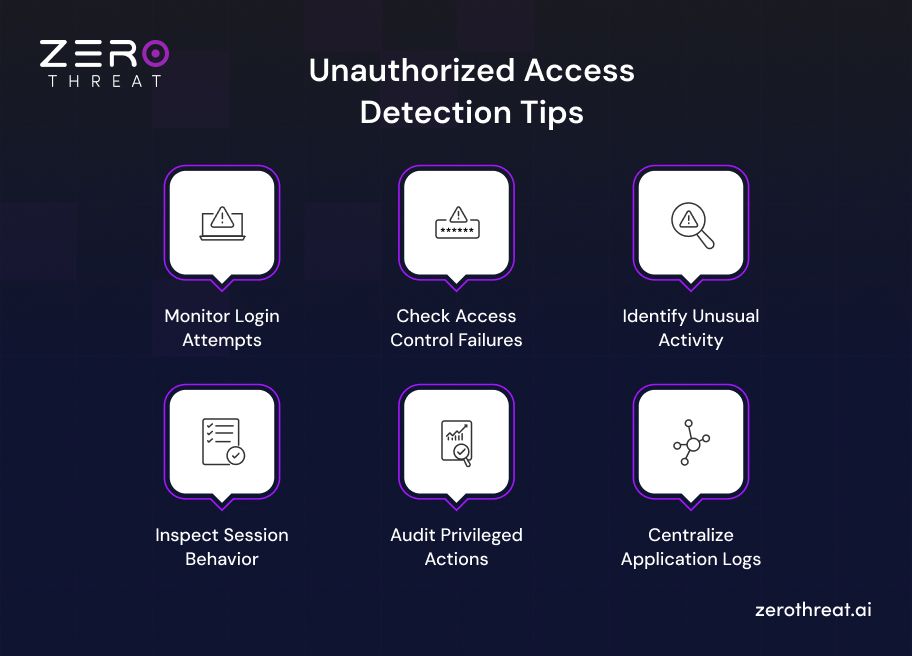
1. Monitor Login Attempts
Review successful and failed login attempts to identify unusual authentication patterns. Repeated failures, login attempts against multiple accounts, or a successful login following several failed attempts may indicate brute-force attacks or credential stuffing. Monitor unfamiliar devices and unexpected login patterns to identify potential account compromise.
2. Check Access Control Failures
Monitor requests that attempt to access restricted application functions, records, or API endpoints. For example, a user repeatedly requesting another user's account details may indicate an insecure direct object reference (IDOR) vulnerability. Investigate repeated authorization failures and unexpected access to sensitive resources.
3. Identify Unusual Activity
Compare application activity against established patterns for different users and roles. Unexpected bulk downloads, unusual data exports, repeated access to sensitive records, or administrative actions outside normal responsibilities may indicate a compromised account. Behavioral analytics can help flag these anomalies for further investigation.
4. Inspect Session Behavior
Monitor session creation, renewal, expiration, and termination to identify suspicious activity. Unexpected session reuse, unusual changes in session context, or repeated requests with invalid authentication tokens may indicate session hijacking or token theft. Correlate these events with login records to determine whether a legitimate user or an attacker is responsible.
5. Audit Privileged Actions
Track administrative operations, permission changes, new account creation, and modifications to security settings. Unexpected privilege escalation or changes to user roles may indicate unauthorized access. Compare these events against approved changes and assigned responsibilities to identify misuse of administrative accounts or attempts to gain higher privileges.
6. Centralize Application Logs
Collect authentication, authorization, API, and application logs in a centralized logging platform or security information and event management (SIEM) system. Correlating events across multiple sources can reveal attack patterns that individual logs miss. Configure alerts for high-risk activity and establish a process for investigating suspicious events promptly.
One unauthorized entry can cost millions. Compare that with the price of testing. Explore Plans
Best Practices to Prevent Unauthorized Access
Preventing unauthorized access to your digital assets is critical for the security and integrity of your systems and data. However, as cyber threats become more sophisticated, securing them becomes even more challenging. You need to adopt the best security practices to prevent such threats.
Moreover, continuous security assessment like web app security testing helps you detect potential weaknesses that could allow unauthorized access. These measures will help you ensure that your assets and resources are accessed only by those who possess the appropriate access permissions.
Let’s find some ways that can help prevent unauthorized access to your data or systems.
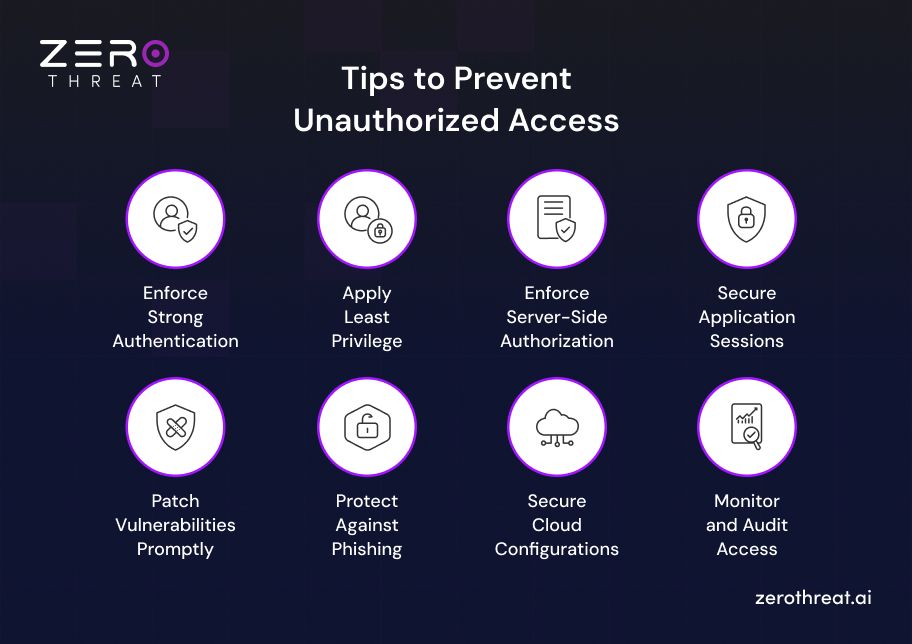
Enforce Strong Authentication
Require strong, unique passwords for application accounts and use a password manager to generate and store them securely. Enable multi-factor authentication (MFA) to add another verification step, even if an attacker obtains a user's password.
For business applications, prioritize phishing-resistant MFA, such as passkeys or FIDO2 security keys, for administrators and users handling sensitive information.
Pro tip: Require reauthentication before high-risk actions, such as changing account recovery details, modifying permissions, or exporting sensitive data.
Apply Least Privilege
Follow the principle of least privilege by giving users, applications, and service accounts only the permissions they need to perform their assigned tasks. Avoid granting administrator access by default. Excessive permissions can allow attackers to access additional resources when they compromise an account.
Use role-based access control (RBAC) to assign permissions according to job responsibilities. Review these permissions regularly and revoke access when employees change roles or leave the organization.
Pro tip: Use temporary, just-in-time privileges for administrative tasks instead of granting permanent elevated access. Review service account permissions separately because they can remain active long after their original purpose ends.
Enforce Server-Side Authorization
Authentication confirms who the user is. Authorization determines what that user can access. Applications must enforce authorization checks on the server for every protected request, including API calls and requests involving specific records.
For example, an application should verify that a customer requesting an order record owns that order or has explicit permission to view it. Hiding a button or restricting a page in the frontend does not prevent direct API requests.
Pro tip: Test for broken access control, insecure direct object references (IDOR), and privilege escalation. Verify that users cannot access another user's data by changing an object ID, account identifier, or request parameter.
Secure Application Sessions
A secure login process is not enough if attackers can steal or reuse an authenticated session. Configure session management to reduce the risk of session hijacking and unauthorized account reuse.
Apply these controls to web applications:
- Set appropriate session expiration and idle timeouts.
- Regenerate session identifiers after authentication and privilege changes.
Use secure cookie attributes, including HttpOnly, Secure, and an appropriate SameSite setting.
- Invalidate sessions after logout, password resets, or suspected account compromise.
- Require reauthentication for sensitive operations.
Pro tip: Review how session tokens are stored, transmitted, and invalidated. Avoid placing sensitive session tokens in URLs, where they may leak through browser history, logs, or referrer information.
Patch Vulnerabilities Promptly
Unpatched software and vulnerable dependencies can expose authentication mechanisms, APIs, and administrative interfaces to exploitation. Maintain an inventory of applications, frameworks, libraries, and externally accessible services. Scan them regularly and prioritize remediation based on exploitability, exposure, and business impact.
Apply security patches within defined timeframes. When immediate patching is not possible, use temporary safeguards such as restricting network access or disabling the affected feature until a fix is available.
Pro tip: Include security testing in the software development lifecycle. AI vulnerability scanning and penetration testing can help identify weaknesses in authentication, authorization, and application workflows before attackers exploit them.
Protect Against Phishing
Attackers often obtain legitimate credentials by impersonating trusted colleagues, suppliers, or service providers. Train employees to recognize suspicious login pages, unexpected authentication requests, and messages that create urgency around account verification.
Support awareness training with technical controls, including email filtering, phishing-resistant MFA, and conditional access policies where appropriate. Establish a clear process for reporting suspicious messages and investigating potential credential exposure.
Pro tip: Treat unexpected MFA prompts as a warning sign. Employees should reject unrequested authentication attempts and report them to the security team rather than approving them to dismiss repeated notifications.
Secure Cloud Configurations
Cloud applications, databases, storage services, and administrative interfaces can become exposed when access policies are misconfigured. Review permissions for cloud resources and APIs, disable unnecessary public access, and restrict administrative interfaces to approved users and networks.
Use centralized identity management where appropriate, secure service-to-service authentication, and monitor changes to cloud access policies. Separate production and development environments to reduce the impact of a compromised account or workload.
Pro tip: Regularly check for publicly accessible storage, overly permissive identity and access management (IAM) policies, exposed API keys, and unused service accounts. Remove unnecessary access rather than relying only on network perimeter controls.
Monitor and Audit Access
Preventive controls cannot eliminate every attack. Monitor authentication events, authorization failures, privilege changes, and access to sensitive resources to identify suspicious activity early.
Centralize application and infrastructure logs in a security information and event management (SIEM) platform where appropriate. Configure alerts for repeated login failures, unusual data exports, unexpected administrative actions, and access from unfamiliar devices or locations. Investigate alerts in context instead of treating every event as proof of an attack.
Pro tip: Test your alerting and incident response procedures regularly. Make sure logs contain enough context for investigation, are protected against tampering, and never expose passwords, access tokens, or other authentication secrets.
What Should You Do After Unauthorized Access Occurs?
Once unauthorized access is confirmed, act quickly to limit the damage and identify how the attacker gained entry. Follow your incident response plan, involve the appropriate security personnel, and document each action taken during the investigation.
1. Contain the Incident
Prevent the attacker from accessing additional accounts, applications, or systems. Choose containment measures based on the affected asset and the risk of ongoing damage.
- Disable compromised accounts or temporarily suspend suspicious sessions.
- Revoke exposed API keys, access tokens, and active session credentials.
- Isolate affected systems or restrict network access when necessary.
- Block confirmed malicious IP addresses or requests where appropriate.
- Notify your incident response team and assign clear responsibilities.
Containment should stop further access without unnecessarily disrupting unaffected business operations.
2. Preserve Evidence
Collect relevant evidence before making changes that could destroy useful investigation data. Logs, session records, and system artifacts can help determine the entry point, attack timeline, and extent of the compromise.
- Preserve application, authentication, API, cloud, and network logs.
- Record suspicious account activity, timestamps, affected resources, and actions taken.
- Capture system images or memory data when appropriate and feasible.
- Restrict access to collected evidence and protect it against modification.
- Maintain a record of evidence collection and handling.
Avoid wiping affected systems or deleting suspicious files before relevant evidence has been preserved, unless immediate containment requires urgent action.
3. Identify the Entry Point
Determine how the attacker gained access and which accounts, applications, or data were affected. Without identifying the underlying weakness, an organization may remove one access path while leaving another open.
- Review login history, failed authentication attempts, and privilege changes.
- Investigate phishing, stolen credentials, exposed tokens, and session hijacking.
- Check for exploited application vulnerabilities and broken access controls.
- Look for persistence mechanisms, unauthorized accounts, and lateral movement.
- Assess whether customer information or other sensitive data was accessed or stolen.
Investigate the full scope of the incident, not just the account or system where it was first detected.
4. Remove Unauthorized Access
After containing the incident and gathering evidence, remove the attacker's access paths and address the weaknesses that enabled the compromise. Coordinate changes carefully to avoid locking out legitimate users or disrupting essential services.
- Reset compromised passwords and revoke related authentication tokens.
- Remove unauthorized accounts, permissions, scheduled tasks, or access keys.
- Patch exploited vulnerabilities and correct misconfigured access controls.
- Remove malware and other malicious artifacts identified during the investigation.
- Rotate affected secrets and credentials, including those used by connected services.
Changing a password alone is not enough if the attacker has established another way to regain access.
5. Restore Affected Systems
Return applications and systems to normal operation only after confirming that the immediate threat has been addressed. Restore from known-clean backups or rebuild affected systems when necessary.
- Verify that the exploited vulnerability has been fixed.
- Restore clean data and system configurations from trusted backups.
- Apply pending security updates and strengthen access restrictions.
- Test authentication, authorization, and critical application workflows.
- Monitor restored systems for renewed suspicious activity.
Recovery is not complete until systems operate normally and there is reasonable confidence that the attacker cannot regain access.
6. Notify Relevant Parties
Determine whether the incident requires notification to customers, business partners, regulators, or law enforcement. Notification requirements depend on the information affected, applicable laws, contractual obligations, and the nature of the incident.
- Inform internal security, IT, legal, and leadership teams.
- Assess whether personal or regulated data was exposed.
- Follow applicable breach notification deadlines and reporting requirements.
- Provide affected users with accurate guidance when notification is required.
- Coordinate external communications through authorized representatives.
Base notifications on verified facts and legal requirements rather than speculation about the incident.
7. Strengthen Security Controls
Use the findings to reduce the likelihood of another compromise. Review both the technical weakness and the process that allowed it to remain undetected.
- Enforce multi-factor authentication, especially for privileged accounts.
- Review user permissions and remove unnecessary access.
- Improve application logging, alerting, and suspicious activity detection.
- Test authentication, session management, and server-side authorization.
- Update incident response procedures based on lessons learned.
Close the security gaps that enabled the incident, then verify the fixes through targeted security testing.
How Can ZeroThreat Help You Prevent Unauthorized Access?
Now, we know unauthorized access is not just a risk, but a ticking time bomb. Therefore, to answer the question of how to detect unauthorized access, you must get your hands on an AI penetration testing tool. ZeroThreat ensures that cyber intruders never get the chance to walk through your digital doors.
Here’s what it offers:
- Zero Trust Access Control
- MFA & Strong Credential Control
- AI Risk Assessment & Remediation
- Seamless Integration with Your Security Stack
- Intelligent Crawler to Simulate Attacks
ZeroThreat not only helps you detect unauthorized access but also provides AI-powered remediation that makes it easy to prevent further attacks. So, don’t wait for a breach to happen. Take control of your cybersecurity today with ZeroThreat and strengthen your AppSec now.
Discover security gaps in your web apps and APIs with AI pentesting built to validate real-world attack paths. Get Started Now!
To Wrap Up
Unauthorized access can begin with a stolen password, excessive permissions, or an application vulnerability. Once attackers gain entry, they can expose sensitive data, misuse accounts, disrupt operations, and damage customer trust.
Preventing these incidents requires more than strong passwords. Multi-factor authentication, least-privilege access, secure session management, regular patching, and server-side authorization checks help reduce the chances of unauthorized access across applications and systems.
Detection is equally important. Monitoring login activity, reviewing access logs, and investigating unusual user behavior can help security teams identify suspicious activity early. When an incident occurs, prompt containment, evidence preservation, and proper recovery limit further damage.
Application security must remain an ongoing process as systems and threats evolve. Regular security testing helps uncover weaknesses before attackers exploit them, while continuous monitoring and timely remediation keep access controls effective and sensitive information better protected.
Frequently Asked Questions
Why is preventing unauthorized access important?
It is crucial to make sure that your system, applications, networks, and other digital assets are not accessed by those who are not permitted. It helps to protect confidential information and critical resources from malicious use.
What would be the risk of potential unauthorized system access?
Can firewalls defend against unauthorized access?
What is the long-term damage of unauthorized access?


Explore ZeroThreat
Automate security testing, save time, and avoid the pitfalls of manual work with ZeroThreat.