 ZeroThreat Wins Bronze Stevie® Award in Tech Startup of the Year Read more

All Blogs
Understanding Security Testing for Web Applications: Types & Best Practices

Quick Summary: This blog explains security testing for web applications in a clear, practical way. Covers key testing types, the step-by-step process used in real scenarios, and the most common vulnerabilities teams face today. Also includes actionable best practices to help identify risks early, validate issues accurately, and maintain stronger security across web applications.
Millions of people perform various tasks digitally every day. While it offers convenience and speed, there are many challenges as well. Primarily, cybersecurity is a big challenge for organizations, causing hurdles in ensuring safe and secure digital interactions.
With the average cost of data breaches rising every year and standing at $4.88 billion as per the IBM Cost of Data Breach Report, securing digital landscapes is critical for organizations. It enables organizations to keep their web applications secure by detecting and eliminating potential weaknesses.
By performing web app security testing, organizations can analyze their applications and APIs to uncover loopholes that could allow attackers to hijack them or steal sensitive data. The primary goal of security testing is to remove the risk of threats, meet regulatory compliance, and maintain user trust. user trust.
Experience high-signal security testing. Launch your free ZeroThreat account in seconds. Try for FREE
On This Page
- What is Security Testing for Web Applications?
- Why Security Testing is Critical for Secure Web Applications
- Types of Security Testing for Web Applications
- Top Common Web Application Vulnerabilities
- How Web App Security Testing Works in Practice
- Best Practices for Web Application Security Testing
- ZeroThreat for Comprehensive Security Testing
What is Security Testing for Web Applications?
Security testing for web applications is the process of identifying and addressing vulnerabilities that attackers could exploit. It focuses on evaluating how an application behaves under real-world threat scenarios, beyond just its expected functionality during normal usage.
It examines key areas such as data handling, authentication mechanisms, and input validation. The goal is to detect issues like SQL injections, security misconfigurations, and broken access controls before they can be exploited in a live environment.
In practice, security testing combines automated tools with manual validation. It is not a one-time activity but an ongoing process. This ensures the application remains secure as new features are added, systems evolve, and threat landscapes continue to change.
Why Security Testing is Critical for Secure Web Applications
Security testing is critical for web applications because it helps identify real risks before attackers do. It ensures that applications remain secure, compliant, and resilient as threats evolve, and systems grow more complex.
- Protects Sensitive User Data: Your app stores what attackers want most. Security testing ensures that credentials, financial records, and personal data stay out of the wrong hands.
- Catches Vulnerabilities Before Attackers Do: Waiting for a breach to discover a flaw is costly. Testing helps you find and fix weaknesses on your terms, not after the damage is done.
- Keeps You Compliant: Regulations like GDPR, PCI-DSS, and SOC 2 require demonstrable security controls. Regular testing gives you the evidence you need to stay audit-ready.
- Protects Your Reputation A single breach can destroy years of user trust. Security testing reduces the risk of public-facing failures that damage your brand.
- Reduces the Cost of Fixing Issues: Fixing a vulnerability in development is far cheaper than fixing it in production. The earlier you test, the less it costs.
- Defends Against Automated Attacks: Bot networks and credential stuffing tools run around the clock. Testing helps you understand where your app is exposed to these high-volume, automated threats.
- Supports a Stronger Development Culture: When security is tested regularly, teams start building with it in mind. It shifts security from an afterthought to a natural part of how your app gets built.
Types of Security Testing for Web Applications
| Type | Purpose | Focus |
|---|---|---|
| Static Application Security Testing (SAST) | Identifies security issues early by analyzing source code before execution | Code-level vulnerabilities, insecure coding practices |
| Dynamic Application Security Testing (DAST) | Detects vulnerabilities by testing the application in a running state | Runtime issues, input handling, exposed endpoints |
| Interactive Application Security Testing (IAST) | Combines static and dynamic analysis to provide real-time insights during execution | Code behavior, data flow, and runtime vulnerabilities |
| Software Composition Analysis (SCA) | Finds risks in third-party libraries and open-source dependencies | Known vulnerabilities, outdated or insecure components |
| Runtime Application Self-Protection (RASP) | Monitors and protects applications in real time during execution | Live attack detection, blocking malicious activity |
| Penetration Testing | Simulates real-world attacks to identify and validate exploitable weaknesses | Exploitation paths, business logic flaws, real attack scenarios |
Test your web app security in minutes. Run an AI-powered pentest and identify critical risks. Test My Web App
Top Common Web Application Vulnerabilities Security Testing Detects
Security testing often focuses on identifying common vulnerabilities that attackers frequently exploit. Understanding these issues helps teams prioritize risks, fix weaknesses faster, and build more secure web applications from the ground up.
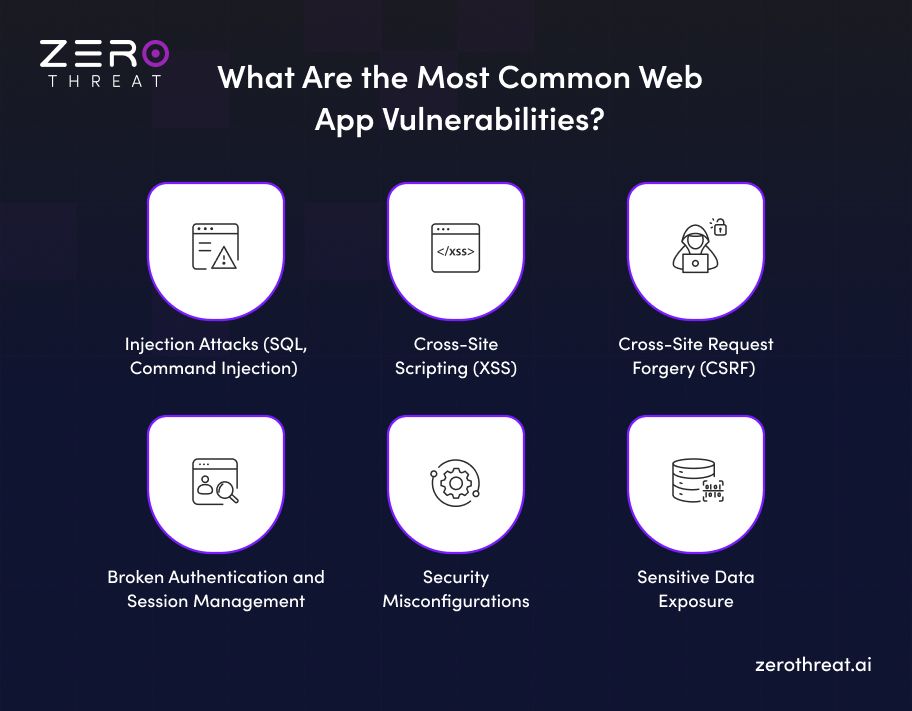
Injection Attacks (SQL, Command Injection)
Injection vulnerabilities occur when untrusted input is executed as part of a query or command. Attackers can manipulate inputs to access or modify data. These flaws often result from poor input validation and remain one of the most critical risks in web applications.
Cross-Site Scripting (XSS)
XSS allows attackers to inject malicious scripts into web pages viewed by other users. These scripts can steal session data, redirect users, or manipulate content. It usually happens when user input is not properly sanitized before being rendered in the browser.
Cross-Site Request Forgery (CSRF)
CSRF tricks authenticated users into performing unintended actions without their knowledge. Attackers exploit trust between the user and the application. This can lead to unauthorized transactions or data changes if proper request validation and anti-CSRF protections are missing.
Broken Authentication and Session Management
Weak authentication mechanisms can allow attackers to compromise user accounts. Issues like poor password policies, exposed session tokens, or improper session handling increase the risk. Once exploited, attackers can gain unauthorized access and act as legitimate users.
Security Misconfigurations
Security misconfigurations happen when systems are not securely set up. This includes default settings, unnecessary services, or exposed error messages. Such gaps make it easier for attackers to find entry points and exploit weaknesses that could have been avoided with proper configuration practices.
Sensitive Data Exposure
Sensitive data exposure occurs when applications fail to properly protect critical information like passwords, financial data, or personal details. Weak encryption, insecure storage, or improper transmission methods can allow attackers to intercept or access this data easily.
How Web App Security Testing Works in Practice
Web application security testing follows a structured process to identify, validate, and fix vulnerabilities effectively. Here's how it actually works, step by step.
1. Define the Scope
Before any testing begins, you need to know what you're testing. This means identifying which parts of the app are in scope, what data is involved, and what types of testing apply. A clear scope keeps the process focused and prevents critical areas from being missed.
2. Gather Information and Reconnaissance
This is where testers learn how the application is built. They map out endpoints, technologies, authentication flows, and third-party integrations. The goal is to understand the attack surface before probing it, the same way a real attacker would.
3. Vulnerability Identification
Automated scanners are run alongside manual testing to identify known weaknesses. This covers everything from injection points and misconfigurations to broken access controls. Automated tools catch various vulnerabilities, while manual testing allows you to perform in-depth testing.
4. Exploitation and Validation
Finding a vulnerability isn't enough. Testers attempt to exploit it to confirm it's real and assess the actual impact. This step separates genuine risks from false positives and gives you a clear picture of what an attacker could actually do.
5. Risk Assessment and Prioritization
Not every vulnerability carries the same weight. Each finding is rated by severity: critical, high, medium, or low based on exploitability and potential impact. This helps teams fix what matters most first, rather than getting lost in a long list of issues.
6. Reporting
The findings are compiled into a clear, actionable report. A good report doesn't just list vulnerabilities, it explains the risk, shows how it was validated, and provides specific remediation guidance that developers can actually act on.
7. Remediation and Retesting
Once fixes are applied, the vulnerabilities are retested to confirm they've been properly resolved. This closing loop is often skipped, but it's one of the most important steps. A fix that doesn't hold up under retesting isn't really a fix.
Best Practices for Web Application Security Testing
Web application security testing becomes effective when it follows consistent and practical best practices. These approaches help teams reduce risk, improve coverage, and ensure security is built into every stage of the development lifecycle.
- Adopt a Shift-Left Approach: Start security testing early in development to catch vulnerabilities sooner and reduce the cost and effort of fixing issues later.
- Integrate Security into CI/CD Pipelines: Automate security checks within CI/CD pipelines to ensure continuous testing and faster identification of vulnerabilities during frequent code changes.
- Prioritize Risk-Based Testing: Focus on high-risk areas such as authentication, data handling, and critical business logic to maximize the impact of security testing efforts.
- Combine Automated and Manual Testing: Use automated tools for scale and manual testing for deeper validation to achieve better coverage and more accurate vulnerability detection.
- Test in Realistic Environments: Perform testing in staging or production-like environments to better simulate real-world attack scenarios and uncover environment-specific issues.
- Validate and Retest Fixes: Always retest vulnerabilities after remediation to confirm fixes are effective and ensure no new issues are introduced.
- Ensure Secure Configuration Management: Regularly review and harden configurations across servers, databases, and frameworks to reduce exposure caused by misconfigurations.
Not sure where to start with security testing? Let's figure it out together. Contact Us
ZeroThreat for Comprehensive Security Testing
Cybersecurity has become a pressing issue for organizations regardless of their sizes. Combating this menace requires a comprehensive security strategy. Security testing should be central to this strategy to continuously evaluate your digital assets for vulnerabilities and flaws that can affect its security posture.
You can leverage ZeroThreat for comprehensive web app and API security testing to discover a myriad of vulnerabilities like OWASP Top 10, zero-day/n-day/1-day, out-of-band vulnerabilities, and lots of CVEs. It can accurately detect various security flaws with 99.9% accuracy.
Automate security testing with ZeroThreat and protect web apps and APIs against potential cybersecurity risks with AI-powered security assessment. Check it now for free and see how it can benefit you.
Frequently Asked Questions
How is DAST different from WAF?
DAST (Dynamic Application Security Testing) is a security testing method that evaluates a software application from outside for vulnerabilities to prevent cyber threats. WAF or Web Application Firewall is a security shield that prevents malicious traffic from protecting web applications in production from cyber threats.
Are SAST and DAST security testing types?
How to perform security testing?



Explore ZeroThreat
Automate security testing, save time, and avoid the pitfalls of manual work with ZeroThreat.